
What Smile does
It is a launcher, so most of it is about getting to an app quickly and then getting out of the way. The rest is about making that harder on purpose.
Most people arrive here wanting to turn an iPhone into a dumb phone. This is the list of what Smile actually does towards that, with nothing dressed up.
The widget
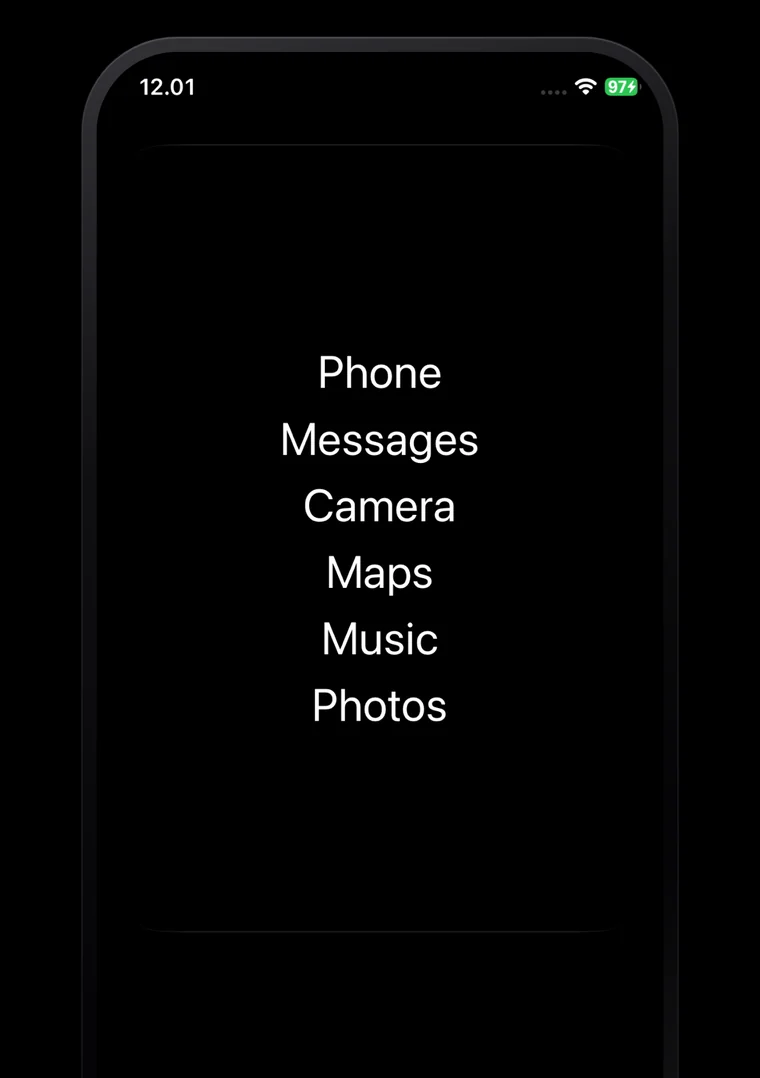
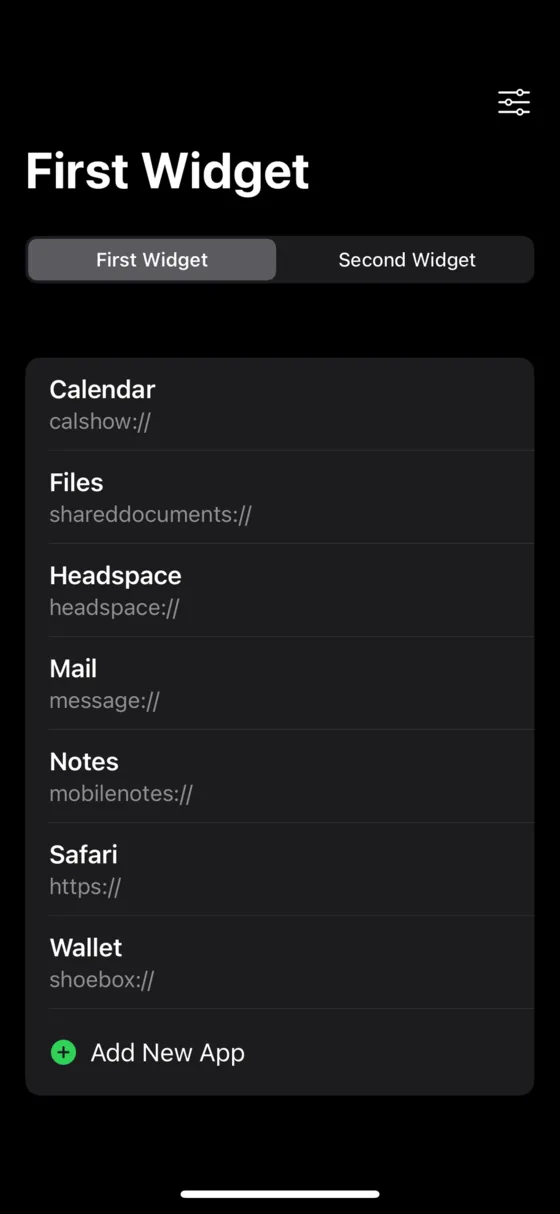
A Smile widget is a list of words on your home screen. You type what each one says, so it can read "Messages" or "mum" or nothing much at all. There are no icons and no badges, because the point is that nothing in the list is trying to get your attention.
Ten widgets
Add up to ten, each with its own list, its own look and its own size. All ten are free.
Four sizes
Small, medium, large and extra large. Extra large is the iPad one. A full-page size is built and waiting on iOS 27.
Drag to reorder
Rearrange apps inside a widget, or drag one across to a different widget. Right-click to move or copy instead.
Tap action
Give a whole widget one shortcut that runs when you tap it anywhere. Leave it empty and a tap does nothing at all.
Randomise positions
Reshuffles the list after every launch, so you have to read it instead of tapping the third row from muscle memory.
Import and export
Copy your whole setup out as text, paste it back on another phone, and choose whether to merge or replace.
Two ways to open an app
iOS does not let one app open another whenever it likes, so Smile has two routes and you pick per app.
Simple
Smile knows 136 common apps by their URL scheme. Pick one from the list and it opens instantly. There is nothing to set up.
Advanced
For everything else, you make a Shortcut in Apple's Shortcuts app and give Smile its name. One shared setup makes these open seamlessly instead of bouncing through the Shortcuts app. This used to be called Smooth mode.
The black screen
Advanced launches pass through a black screen that hides the switch between apps. You set how long it lasts, from nothing to ten seconds, and whether Smile waits the full time or opens as soon as it can. There is also a mode that stays black until you tap it.
Limits, and a pause before the app opens
Every app in your list can carry its own rules. A reminder after so many opens, a hard block after so many more, a breather you have to sit through, or just a confirmation. Set them per app, so the one you have a problem with is the only one that fights back.
These are speed bumps, not locks. You set them up, so you can take them down. The app says so too.
Daily reminder
After a number of opens you choose, from 1 to 100, a message appears. Your own words, or the default. You can still continue.
Hard limit
After the limit, the app stops opening. Choose whether the entry hides from the widget until tomorrow or stays visible but dead.
Breather
A black screen for 3 to 300 seconds before the app opens, with an optional skip button and a message you write.
4-7-8 breathing
The other kind of breather. One to ten cycles, about 19 seconds each, with prompts to breathe in, hold, and breathe out.
Confirmation
A plain "Open Instagram?" before anything happens. Enough to catch the taps you did not mean to make.
Your own reset time
Counts reset at midnight by default, or at any time you pick, set separately for every app.
Make it look like yours
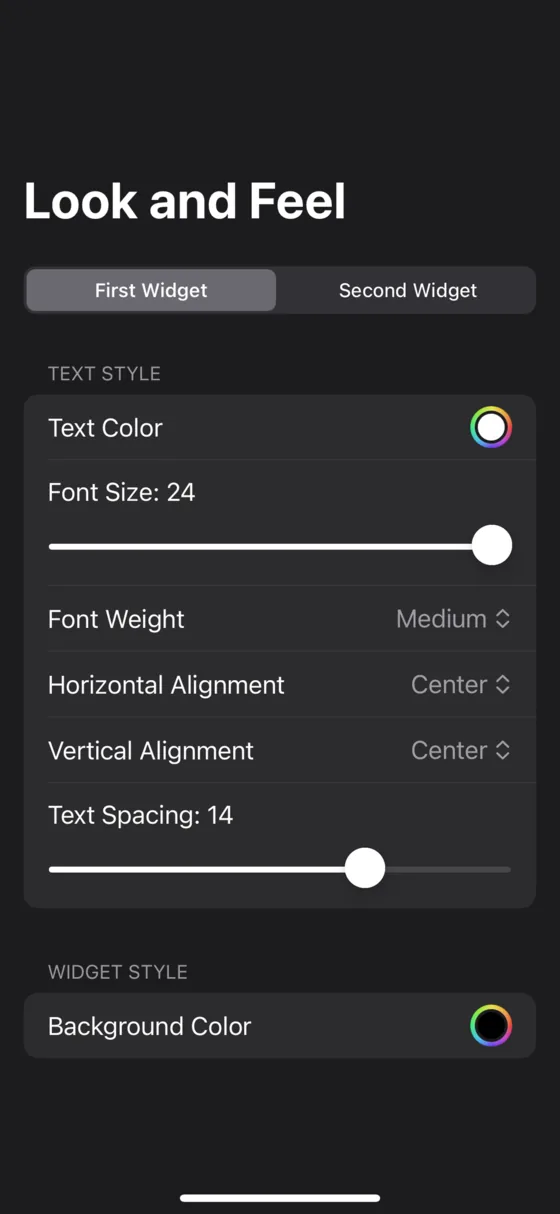
The widget is text, so almost everything about it is adjustable. Set the typeface, size, weight, case, colour, alignment and spacing, then either keep every widget different or point them all at one shared style.
19 typefaces
System, San Francisco, New York, Helvetica Neue, Georgia, Futura, Optima, Menlo and more, plus any font installed on your phone.
Size and weight
Any size from 5 to 100. Nine weights from ultralight to black.
Text case
Leave it as you typed it, or force sentence case, lower case, UPPER CASE or Capitalized Case.
Nine alignments
Leading, centre or trailing across; top, centre or bottom down. Plus a horizontal offset and adjustable row spacing.
Colours and themes
Any text and background colour. Or follow the system theme with separate colours for light and dark mode.
Master appearance
Style one widget, then point the others at it. Change the master and they all change together.
Ready-made styles
Start from a preset and adjust from there. Editing anything switches it back to custom.
Transparent background
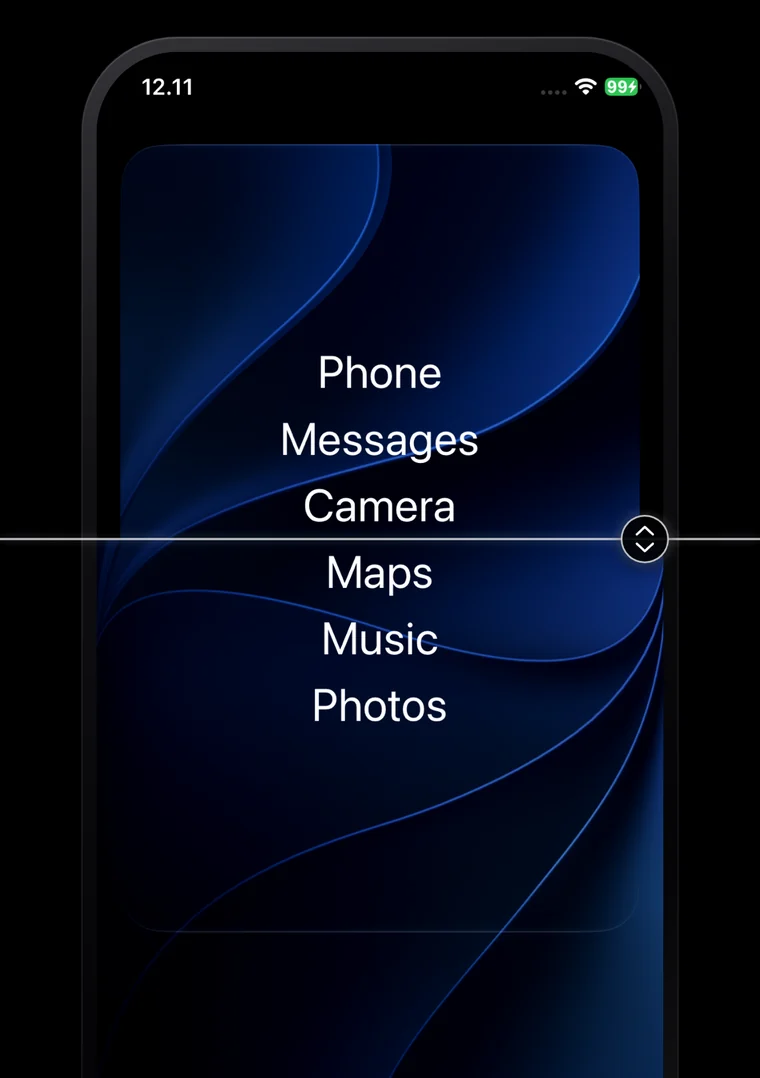
Screenshot your wallpaper, tell Smile where the widget sits, and the box disappears into the background.
Or no background at all
Show Smile a screenshot of your wallpaper and tell it where the widget sits, and the widget’s box disappears. The words are left sitting directly on your wallpaper.
One widget, the whole page
The build already contains a widget size that fills an entire home screen page, edge to edge. No icons on it, no grid around it, just your list of words on black. For anyone trying to get to a text-only phone, it is the closest the iPhone has come.
It is shipping now and dormant. iOS 27 has to arrive before iOS will offer the size, and then it appears on its own with no update needed. What else is waiting
Widgets that are not launchers
A Smile widget does not have to hold apps. The clock is free alongside the launcher. Premium adds live widgets that draw from your calendar and the weather.
The rest of it
47 languages
Smile is fully translated into 47 languages, and offers to switch the first time it sees yours.
Usage statistics
How many times each shortcut opened, today, over a week, a month or all time, with a success rate for the launches themselves.
Stays on the phone
No account, no analytics, no server. Nothing you set up in Smile leaves your device.
CarPlay and external displays
Optional settings that try to keep a shortcut running on the phone instead of handing it to a connected screen.
Requirements
- Platform
- iPhone and iPad
- Requires
- iOS 16.1 or later
- Price
- Free, premium optional
- Widgets
- 10, all free
- Languages
- 47
- Account
- None. Nothing leaves your phone.